# Home Assistant

# Login to Home Assistant

#### Download the App

You can find the Home Assistant App in your App Store of choice.

Click [here](https://www.google.com/url?sa=t&rct=j&q=&esrc=s&source=web&cd=&cad=rja&uact=8&ved=2ahUKEwj2rqbFjoKDAxXrV6QEHZjIA4oQFnoECBEQAQ&url=https%3A%2F%2Fplay.google.com%2Fstore%2Fapps%2Fdetails%3Fid%3Dio.homeassistant.companion.android%26hl%3Dde%26gl%3DUS&usg=AOvVaw1eTqvAeMGoYC1f3du9XLtb&opi=89978449) for Android, and [here](https://www.google.com/url?sa=t&rct=j&q=&esrc=s&source=web&cd=&cad=rja&uact=8&ved=2ahUKEwi1l8DWjoKDAxXmVaQEHfW4CgoQFnoECBEQAQ&url=https%3A%2F%2Fapps.apple.com%2Fde%2Fapp%2Fhome-assistant%2Fid1099568401&usg=AOvVaw0dh4iWDpRwWLA3opU-Im70&opi=89978449) for iOS (iPhone / iPad).

<p class="callout warning">If the App asks you to allow it to look for devices in your local network, click allow!</p>

#### Log in

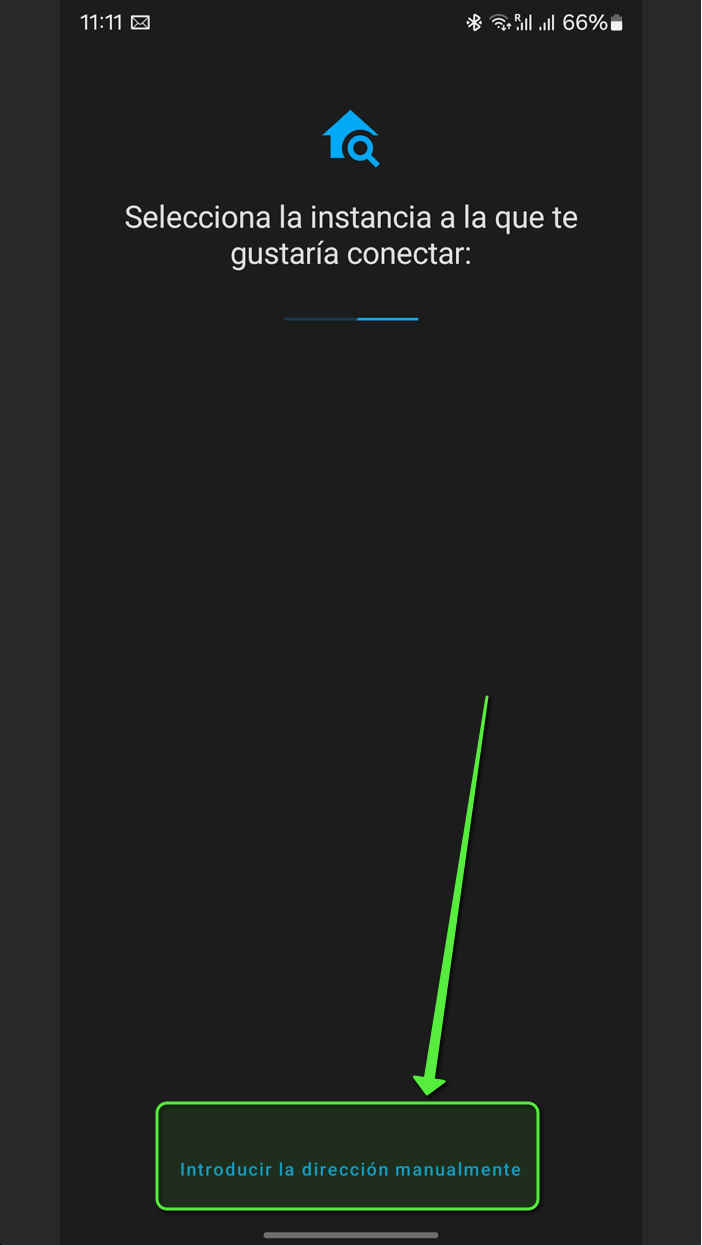
To log in with your credentials, open the App and select the option to specify the URL manually:

  
[![Greenshot 2023-12-09 11.17.11.png](https://wiki.masali.cloud/uploads/images/gallery/2023-12/scaled-1680-/K1x4cirwPiJNQ3UY-greenshot-2023-12-09-11-17-11.png)](https://wiki.masali.cloud/uploads/images/gallery/2023-12/K1x4cirwPiJNQ3UY-greenshot-2023-12-09-11-17-11.png)
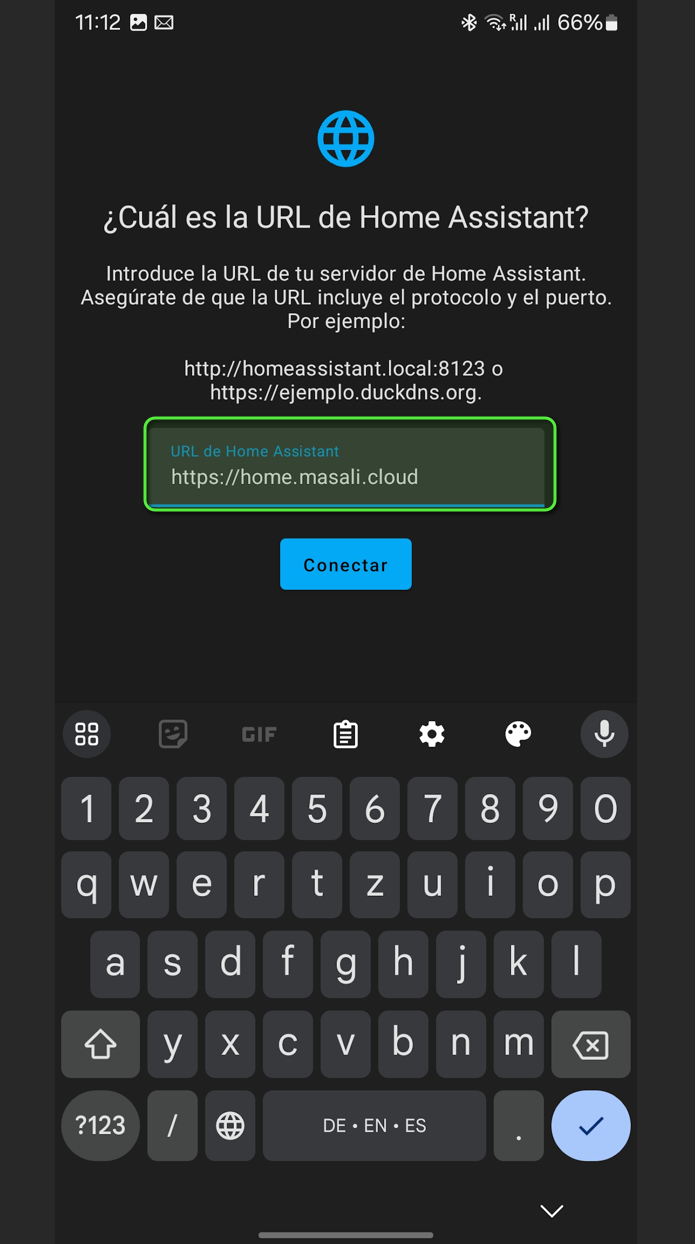
Then, specify the URL as "https://home.masali.cloud":

<p class="callout info">If you want to log in only locally, use: "http://192.168.178.112:8123"</p>

[![Greenshot 2023-12-09 11.18.32.png](https://wiki.masali.cloud/uploads/images/gallery/2023-12/scaled-1680-/aMiCwtGKlUZtRkiV-greenshot-2023-12-09-11-18-32.png)](https://wiki.masali.cloud/uploads/images/gallery/2023-12/aMiCwtGKlUZtRkiV-greenshot-2023-12-09-11-18-32.png)

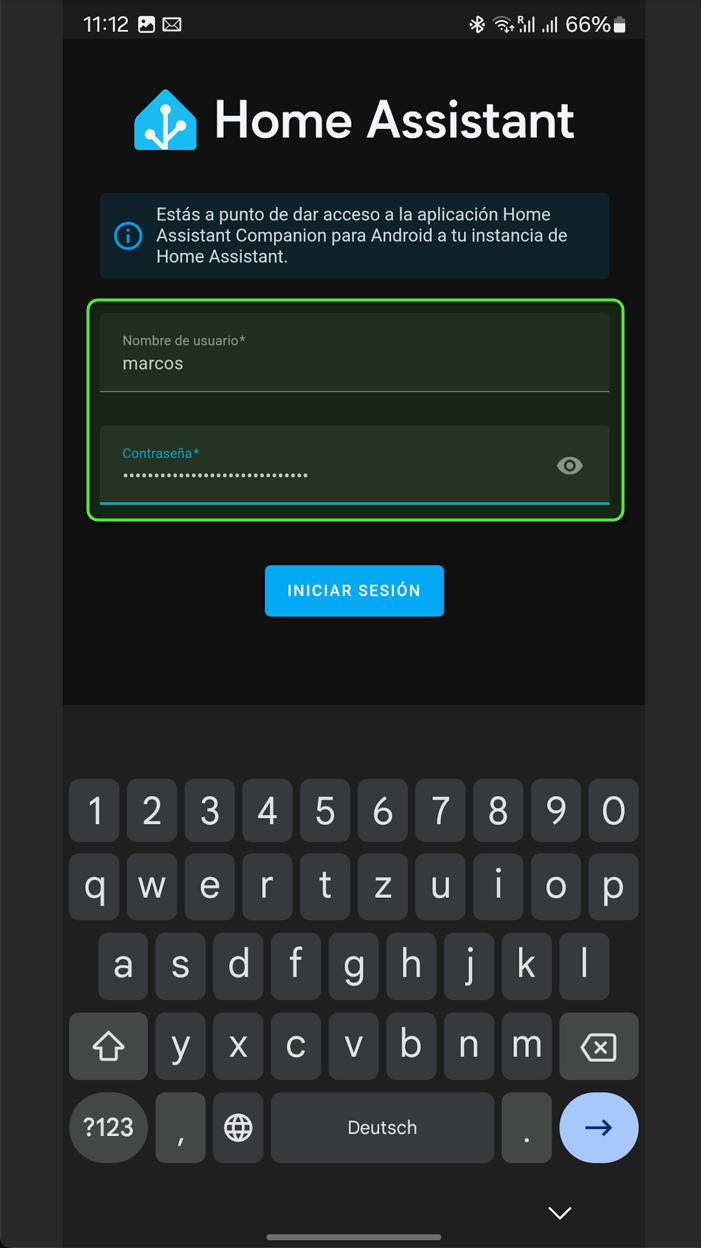
Log in with your credentials:

[![Greenshot 2023-12-09 11.19.21.png](https://wiki.masali.cloud/uploads/images/gallery/2023-12/scaled-1680-/ucqZi6zmi8Za0JGO-greenshot-2023-12-09-11-19-21.png)](https://wiki.masali.cloud/uploads/images/gallery/2023-12/ucqZi6zmi8Za0JGO-greenshot-2023-12-09-11-19-21.png)
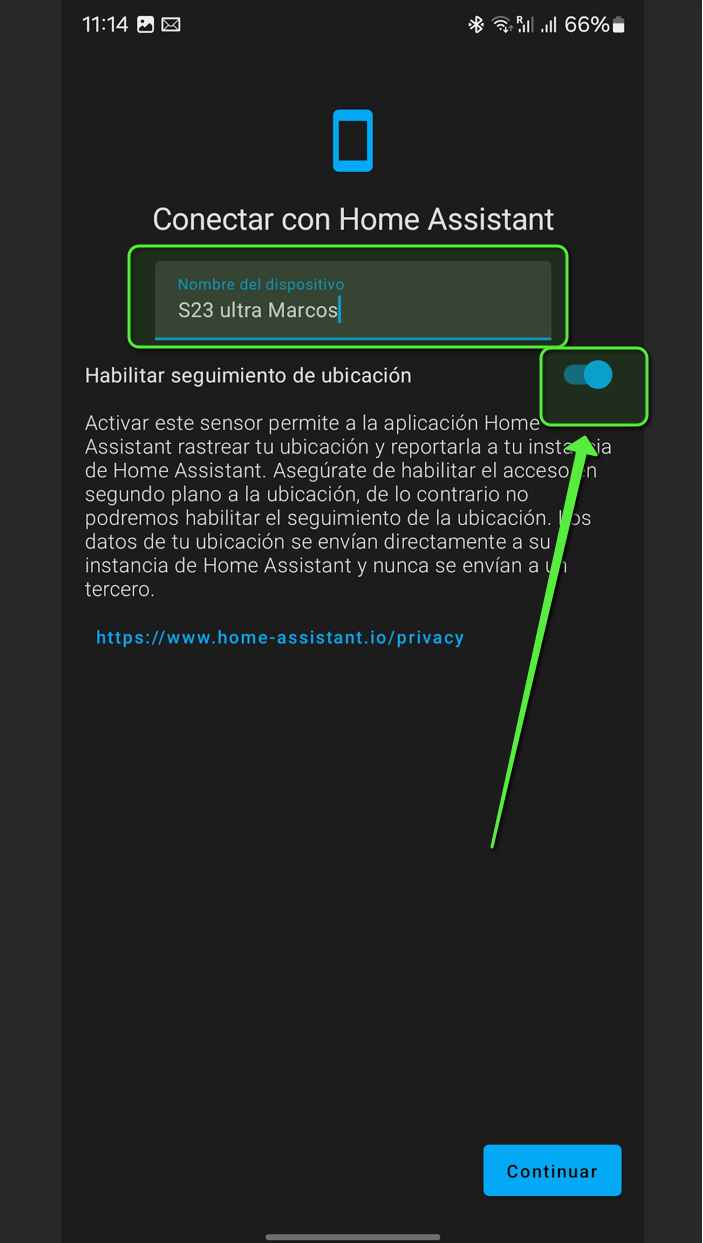
Then, name your device and allow the Home Assistant App to follow your locations to enable location tracking features:

[![Greenshot 2023-12-09 11.19.59.png](https://wiki.masali.cloud/uploads/images/gallery/2023-12/scaled-1680-/QaRQYihRB7juQyA1-greenshot-2023-12-09-11-19-59.png)](https://wiki.masali.cloud/uploads/images/gallery/2023-12/QaRQYihRB7juQyA1-greenshot-2023-12-09-11-19-59.png)Now you are logged into Home Assistant.
#### Access Home Assistant trough your browser

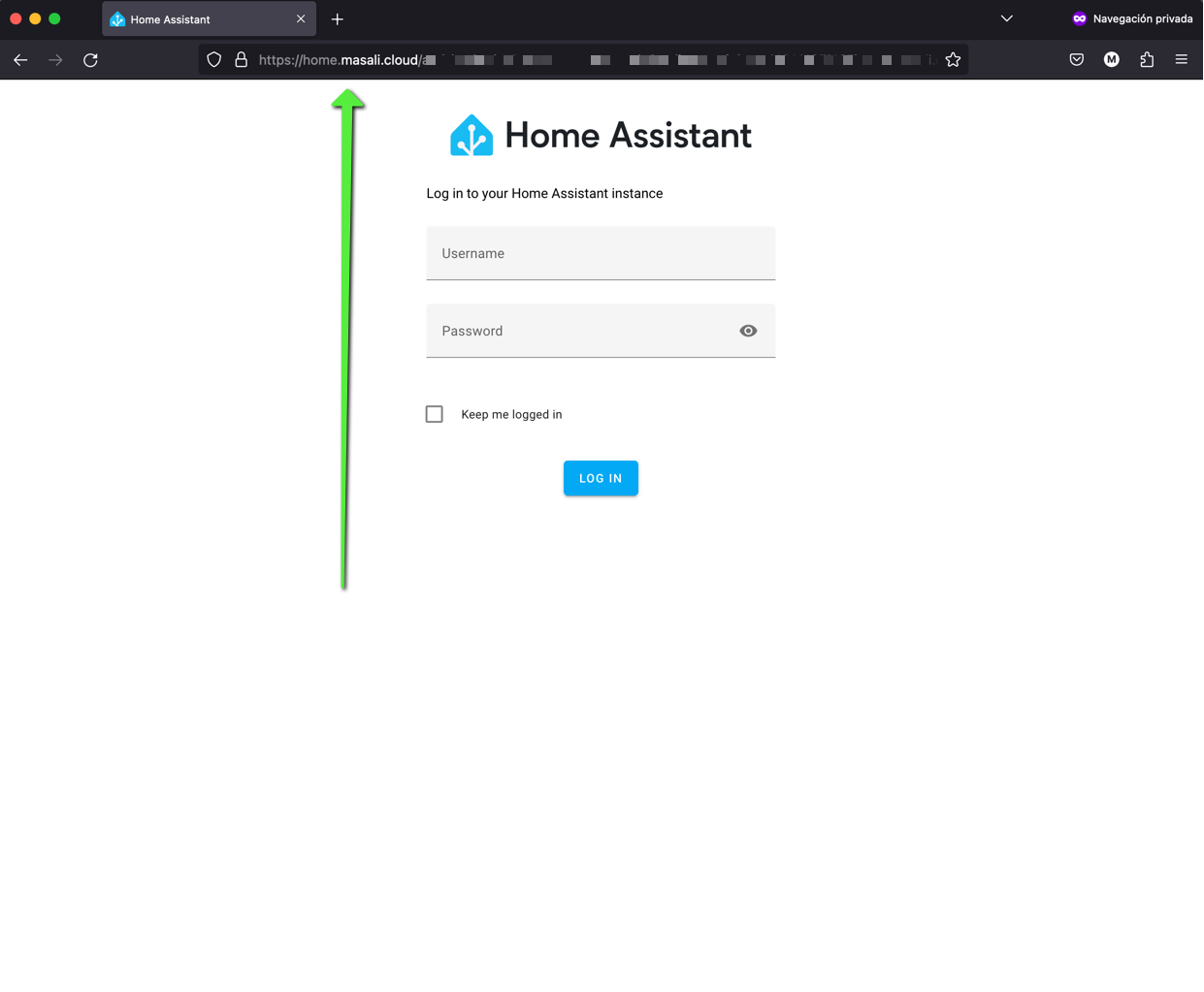
To access it trough the browser, simply open the URL [home.masali.cloud](https://wiki.masali.cloud/home.masali.cloud) and log in with your credentials.

[![Greenshot 2023-12-09 11.23.02.png](https://wiki.masali.cloud/uploads/images/gallery/2023-12/scaled-1680-/NFjqUFi4SvzCkCVu-greenshot-2023-12-09-11-23-02.png)](https://wiki.masali.cloud/uploads/images/gallery/2023-12/NFjqUFi4SvzCkCVu-greenshot-2023-12-09-11-23-02.png)