
Sync Calendar and Contacts (example iPhone or Mac OS) via CalDAV and CardDAV protocols
Calendar and contacts are added to macOS and iOS in the same way:
First, you need to create an "App Password" for your new connection. Follow this guide to complete this step.
Add Calendar Sync
In the next step, add the calendar to your iPhone / Mac:
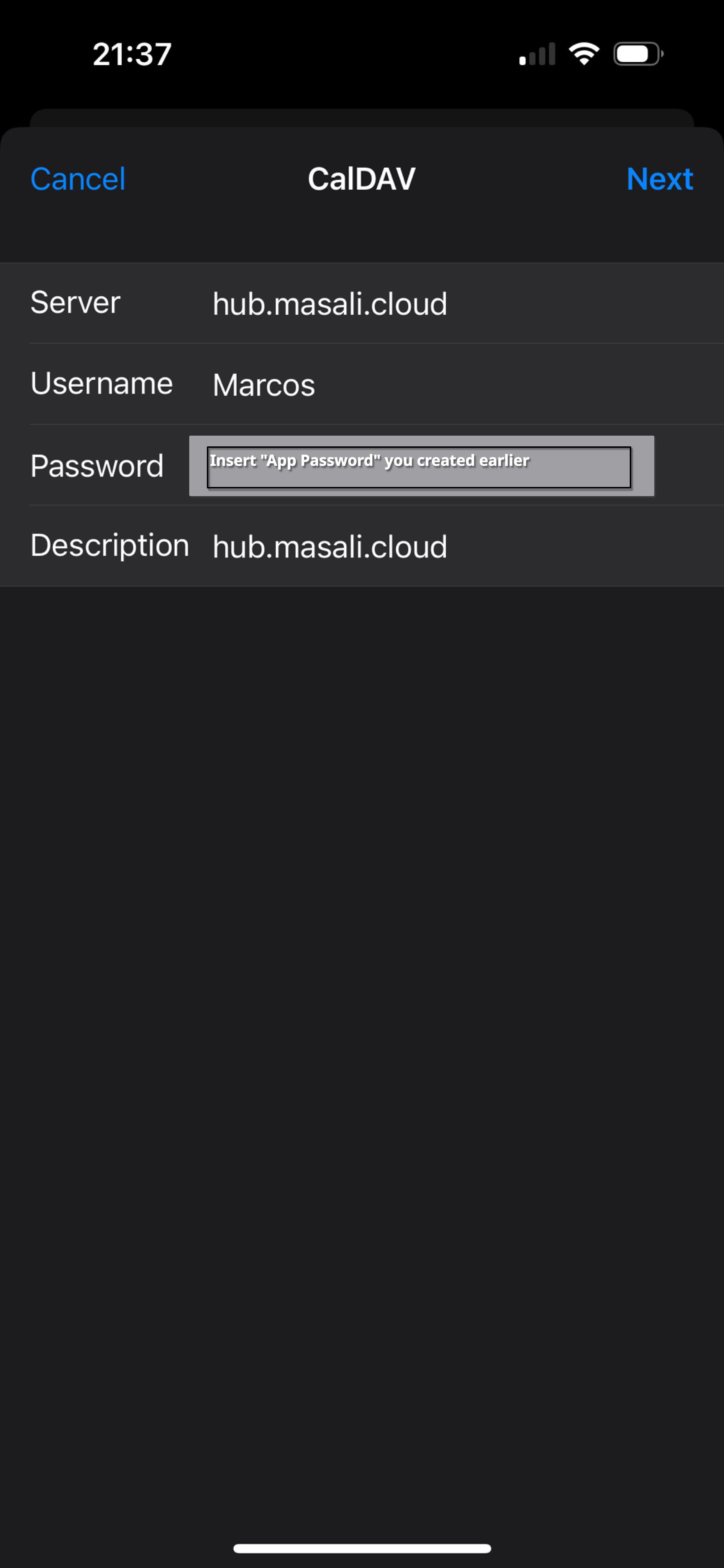
Go to Settings -> Calendar -> Accounts -> Add Account -> “Other” -> “Add CalDAV Account”... and fill in the fields as shown below.
Add Contact Sync
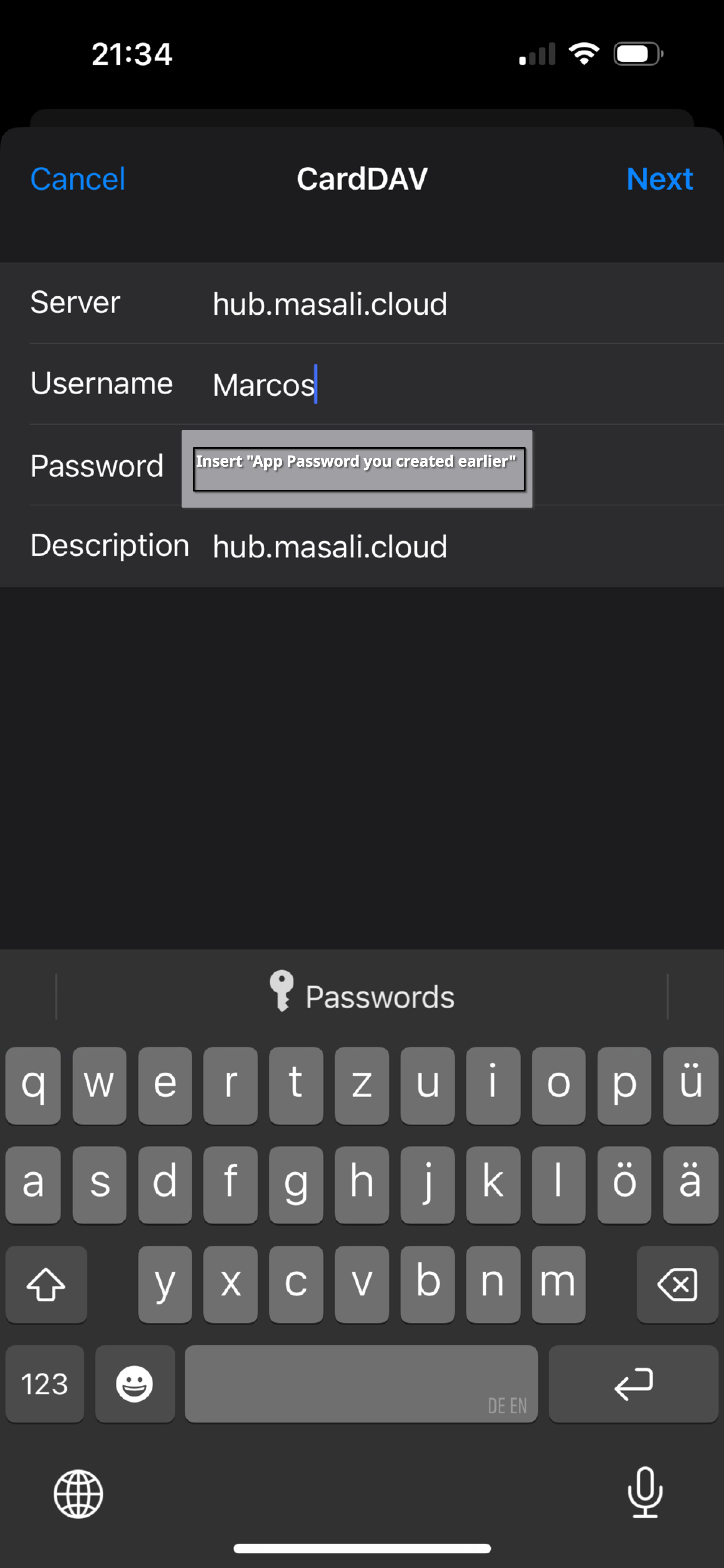
To add contact synchronization, go to: Settings -> Calendar -> Accounts -> Add Account -> “Other” -> “Add CardDav Account”... and fill in the fields as shown below.
No comments to display
No comments to display