Add Calendar and Contacts as cardDAV and calDAV to iOS and macOS
Calendar and contacts are added to macOS and iOS in the same way:
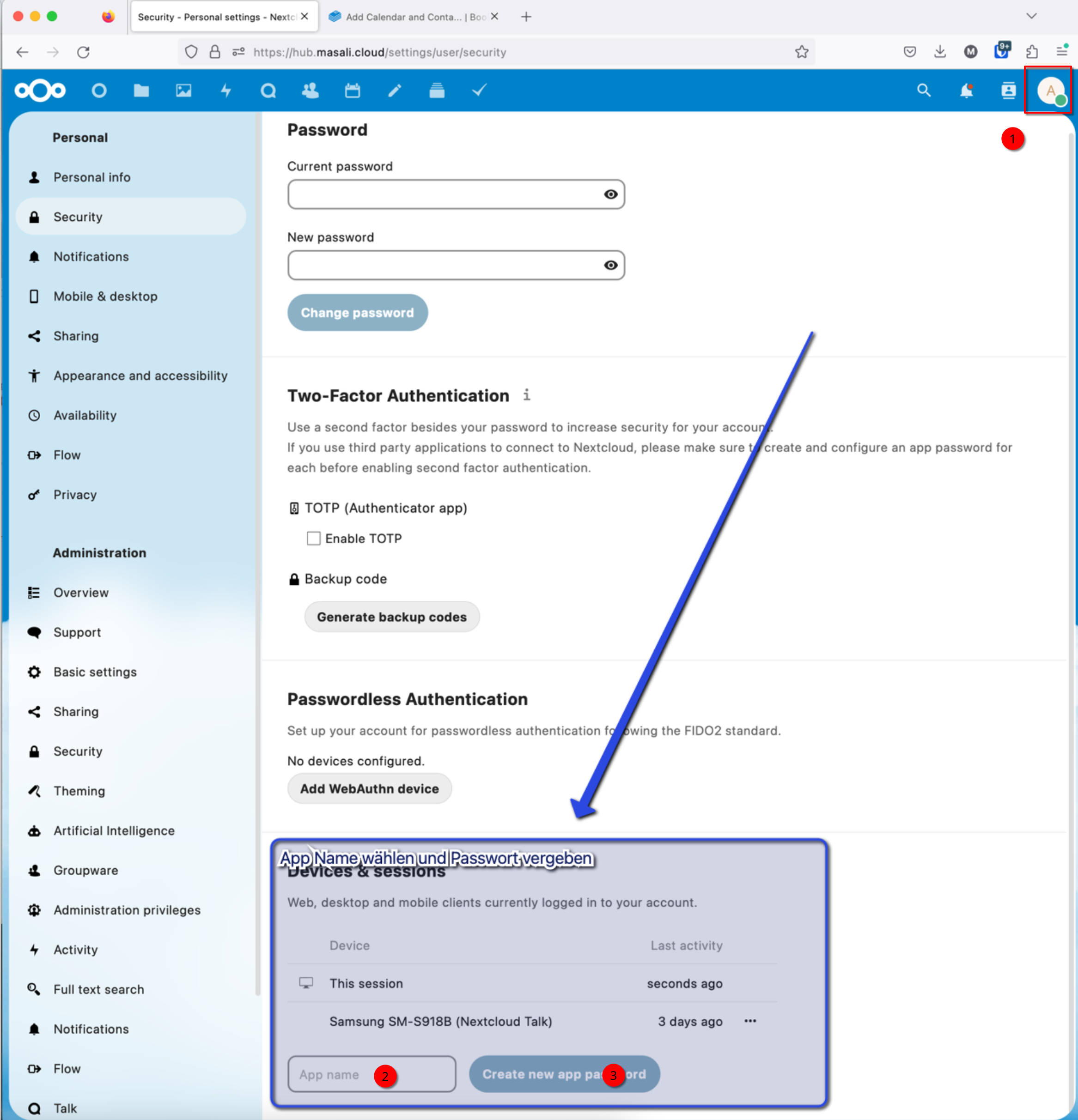
First assign an app password in the NextCloud settings. To do this, go to your own NextCloud account -> Settings -> Security and create an app password. The name you give it is not important, it can be chosen randomly (see below).
In the next step, add the contacts and calendar to your iPhone / Mac:
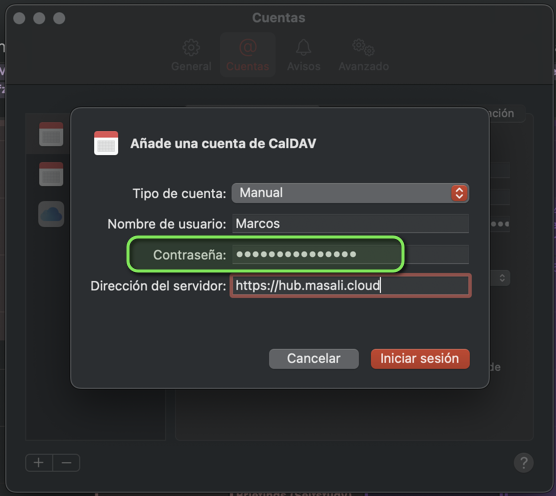
Go to Settings -> Calendar -> Accounts -> Add Account -> “Other” -> “Add CalDAV Account”... and fill in the fields as shown below.
IMPORTANT: The password you enter is the “App password” you created above.