Add Calendar and Contacts as cardDAV and calDAV to iOS and macOS
DasCalendar hinzugügenand voncontacts Kalendarare undadded Kontakten zuto macOS undand iOS erfolgtin gleichermaßen:the same way:
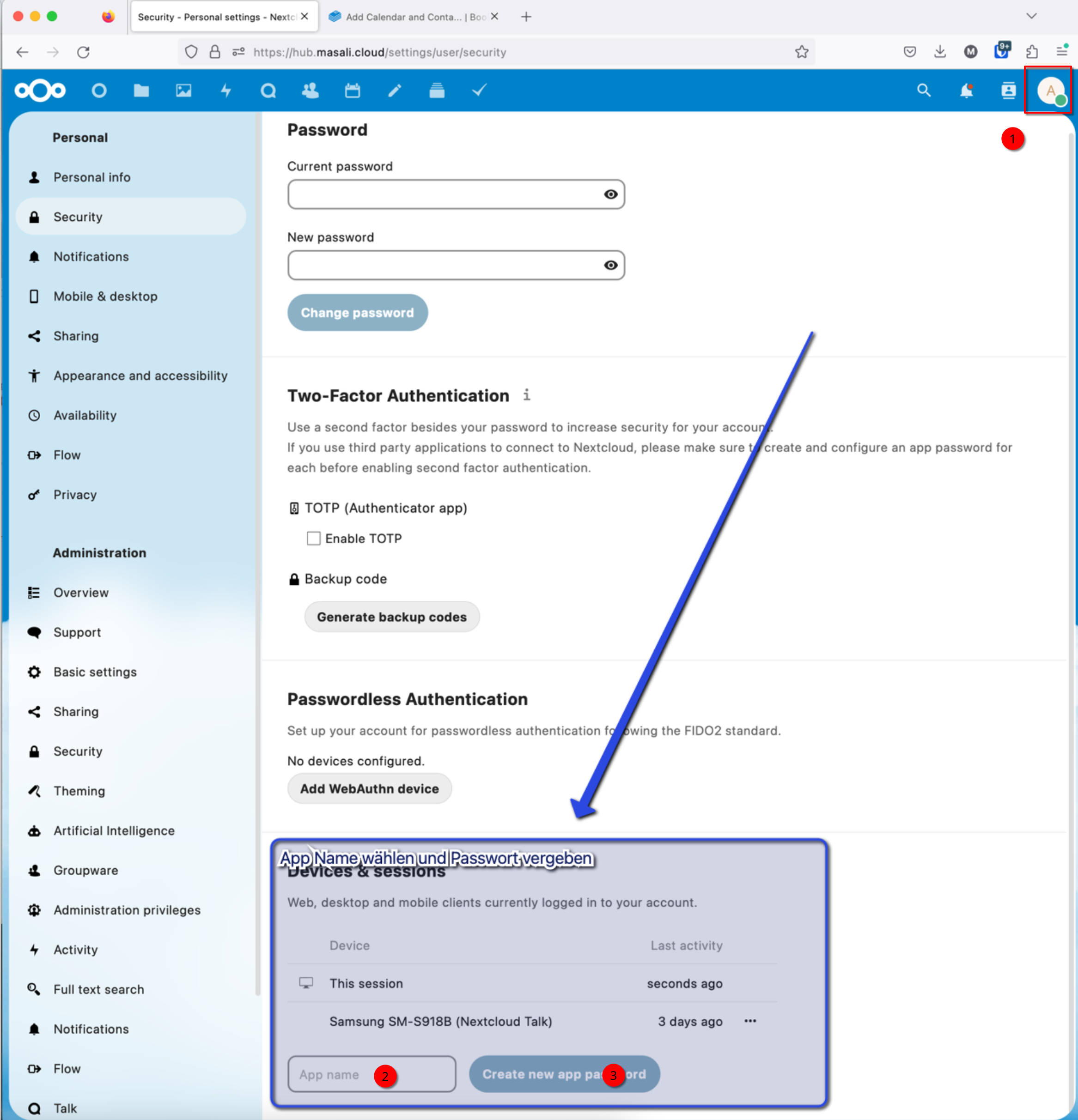
VergebeFirst zuerstassign einan App-Passwortapp password in denthe NextCloud Einstellungen.settings. GeheTo hierfürdo inthis, deinengo eigenento your own NextCloud Accountaccount -> EinstellungenSettings -> Sicherheit,Security undand erstellecreate einan Appapp Passwort.password. DerThe Name,name denyou mangive dafürit vergibt,is istnot nichtimportant, wichtig,it ercan kannbe randomisiertchosen gewählt werdenrandomly (siehesee unten)below).
In einemthe nächstennext Schritt,step, fügeadd diethe Kontaktecontacts undand dencalendar Kalenderto deinemyour iPhone / MacMac:
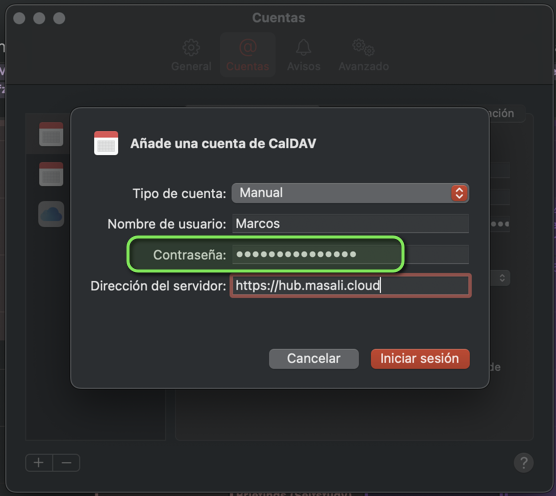
Go hinzu:to Settings -> Calendar -> Accounts -> Add Account -> “Other” -> “Add CalDAV Account”... and fill in the fields as shown below.
IMPORTANT: The password you enter is the “App password” you created above.